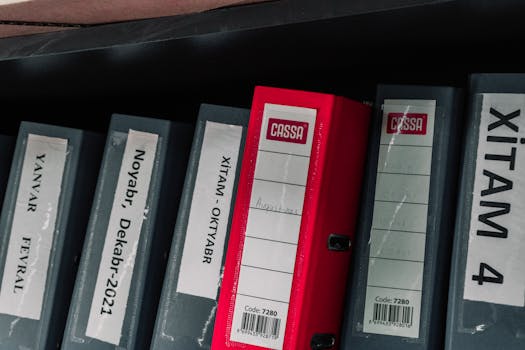
Stacks of receipts, statements, and tax forms build up quickly. Learning to organize financial documents can help lower stress and bring peace of mind when money matters demand attention.
With life’s obligations and expenses, misplacing even one key document risks missed deadlines, errors, or delays accessing benefits. Building a reliable filing system turns a chore into a routine.
Follow the sections ahead to explore structured strategies, examples, and realistic checklists. See how you can organize financial documents so you’re always prepared—without overwhelm.
Sorting Documents by Type Creates Instant Clarity and Saves Time
Grouping every sheet and record by its specific function makes it much easier to organize financial documents. Income, taxes, banking, and insurance all need separate, clearly marked homes.
Put utility bills, loan agreements, pay stubs, and receipts into distinct categories. This method removes confusion and lets you locate what you want, exactly when required.
Income Documentation: Building a Dedicated Folder
A labeled folder for income files works for both paper and digital records. Store your latest pay stubs, direct deposit confirmations, and freelance invoices together for easy access.
This habit shortens job applications or loan processes that use proof of income. Date every document, toss duplicates, and review quarterly so no critical record is misplaced long-term.
A sample folder might include: “Paychecks 2024 Q1 – Q2.” Inside, arrange slips by date. Use color tags and a single naming rule for consistency, like “YYYYMMDD_PAYROLL.pdf.”
Tax-Related Papers: Preventing April Mistakes
Set up a dedicated tax folder labeled for the current year. Gather all 1099s, W-2s, investment statements, and charitable donation proof as they arrive.
Print digital forms and file them, or store e-statements in a matching digital folder. The folder’s front pocket can hold your CPA’s contact and last year’s return.
Review monthly and add notes if an item was used for a tax deduction. This approach reduces the last-minute scramble to organize financial documents each spring.
| Document Type | Best Storage Method | Retention Period | Action Step |
|---|---|---|---|
| Tax Returns | Physical folder and digital vault | 7 years minimum | Scan each file and label by year |
| Bank Statements | Online account and binder | 1 year (or forever for major purchases) | Download PDF monthly to cloud folder |
| Receipts for Deductions | Envelope or app scan | 3–7 years | Sort weekly, discard after taxes filed |
| Insurance Policies | Home safe and backup USB | While active | Update after each renewal |
| Investment Records | Accordion file and secure cloud | 7 years after sale | Archive by account, mark gains/losses |
Label Everything and Use Simple Systems for Quick Retrieval
Clear labeling saves you from flipping through every folder just to find your insurance policy or warranty card. Simple labeling also speeds up year-end or tax-season sorting.
Label folders and digital file names using plain language, including the type, year, and any unique identifiers. Think “Medical_Bills_2023” or “Car_Loan_Documents_Honda_2021.”
Color Coding to Eliminate Guesswork
Assign colors based on broad categories—red stickers for taxes, blue for health records, green for bank statements. Keep a legend in your document drawer for reference.
- Apply one color per document type so you spot the right section instantly, even if you’re in a hurry or distracted.
- Invest in colored file folders, sticky labels, or digital folder icons to build habits that persist year after year.
- Use visual cues: highlight overdue or urgent bills with a bright sticker. This method flags items that need attention—no detailed review needed each time.
- Assign a different folder color for family members if needed, especially for health and legal documents, to avoid confusion or mix-ups during emergencies.
- Store a “color key” or sample legend inside your file drawer for a quick reminder any time you organize financial documents.
Color coding works because even a quick glance helps prioritize, so use it not just for neatness but for faster action and fewer mistakes when organizing files.
Consistent Naming Conventions Prevent Lost Documents
Use a single format, such as “YYYYMMDD_Type_Description.pdf,” for all digital and paper folders. This rule prevents misplacement or duplication and saves time during searches.
- Date-first files (like 20240601_RentReceipt.jpg) sort automatically by year and month. This system streamlines audits or reviews by anyone who needs to organize financial documents.
- Include account numbers or key details, especially for bills or statements with similar names each month. Consistency means you’ll never second-guess what a file holds.
- Set calendar reminders to rename unsorted files at the end of each month. This routine prevents “Document1.pdf” chaos from taking root in your folders.
- Add a brief summary to each file or folder title. For example, use “VisionInsurance_Enrollment2024.pdf” instead of just “Insurance.pdf” for clarity during quick retrievals.
- Print a one-page naming convention guide and keep it in your workspace. Anyone helping you can follow your precise, organized format every time.
Consistent naming requires an extra minute per document up front but saves hours wasted searching archives later, so treat it as a recurring habit, not a one-off task.
Using Digital Tools Makes Organization Mobile and Secure
Storing your records online alongside physical files ensures you can organize financial documents and retrieve them even when traveling or away from home.
Cloud drives with encryption, password-protected folders, and mobile apps let you scan, label, and save receipts in real time with your phone.
Cloud Storage: Access and Backup Anywhere
Sign up for a reputable cloud service to safeguard digital copies of critical paperwork. Drag PDF statements into folders that mirror your physical system.
If your files are available on all devices, lost or damaged originals no longer threaten your records. Enable two-factor authentication for added peace of mind.
Remember to update cloud backups monthly when you organize financial documents. Consistent sync prevents gaps and helps family members share access if needed for emergency planning.
Receipt-Scanning Apps: Turning Paper into Searchable Digital Records
Download a receipt scanner that lets you snap a photo, tag it with keywords, and export a PDF. This habit virtually erases the pile of ticket stubs and paper slips at home.
Search functions let you retrieve a meal, hardware, or medical expense later by keyword—no more digging for a faded grocery receipt in a drawer.
Set reminders for batch-scanning weekly so your digital inbox stays as current as your hard copy folders when you organize financial documents.
Efficient Systems Turn Document Chaos into Everyday Confidence
By grouping files by type, labeling with intent, and digitizing consistently, you turn what once seemed like a never-ending task into a sustainable routine that organizes financial documents for years to come.
Smart organization saves you stress during tax time, emergencies, or any event demanding quick access. Each system described here strengthens your personal finance foundation with simple steps you’ll master after just a few rounds.
The takeaway: commit to revisiting your system every few weeks and you won’t have to start from scratch. Organized financial documents protect your time and provide clarity, whenever you need it most.